Digital product passport resources
Digital Product Passport Structured Data & Evidence Workflow: From CSV Import to Encrypted Private Files
A Digital Product Passport is more than a public QR page. For manufacturers, brands, importers, and EU sellers, the real operational challenge is building a repeatable workflow: collecting structured product data, attaching supporting evidence, deciding what stays private, reviewing readiness, and publishing a controlled public record.
That is why a digital product passport structured data evidence workflow matters. It turns scattered spreadsheets, PDFs, supplier documents, certificates, product claims, and care instructions into a governed product data process.
Product Passport Base is designed to support that workflow with a private Builder, encrypted private evidence storage, CSV/TSV import, readiness review, QR publishing, public passport pages, and API access for integrations.
> Important note: Product Passport Base can help you organize and publish product passport information, but it is not a legal authority, official EU certification body, or replacement for legal or regulatory advice. Your company remains responsible for the accuracy, legality, permissions, claims, evidence, and updates of its product data.
What is a structured Digital Product Passport workflow?
A structured Digital Product Passport workflow is the process of converting product information into a consistent digital record that can be reviewed, protected, updated, and selectively published.
Instead of keeping product information in disconnected places, a structured workflow creates one controlled record per product. That record can include:
- Product name, SKU, model, category, and identifiers
- Description and intended public product information
- Materials, percentages, and origin when applicable
- Manufacturing country or facility details
- Care, repair, reuse, and recycling instructions
- Certificates, certificate numbers, issuers, and expiration dates
- Claims and verification level
- Public company contact information when configured
- Private evidence files that support internal review
- QR payload and public passport URL after publication
In practice, the goal is to create a structured digital record that can serve consumers, retailers, marketplaces, support teams, repair partners, recycling flows, and internal systems without exposing sensitive evidence by default.
Why spreadsheets and PDFs are not enough
Many companies start their Digital Product Passport preparation with folders, PDFs, spreadsheets, email threads, and supplier attachments. That can work for early collection, but it becomes difficult to manage when products, SKUs, suppliers, and markets increase.
Common issues include:
- Different teams using different versions of the same product data
- Certificates stored separately from the product they support
- Claims published without a clear evidence trail
- Manual copy-paste into ecommerce, retailer, or marketplace systems
- Difficulty identifying missing data before publication
- No clear separation between public information and private evidence
- QR pages becoming static or outdated
A structured workflow reduces these risks by creating a repeatable path from raw product information to a reviewed public passport.
The core workflow: from CSV import to public QR passport
A practical Digital Product Passport workflow usually has six stages:
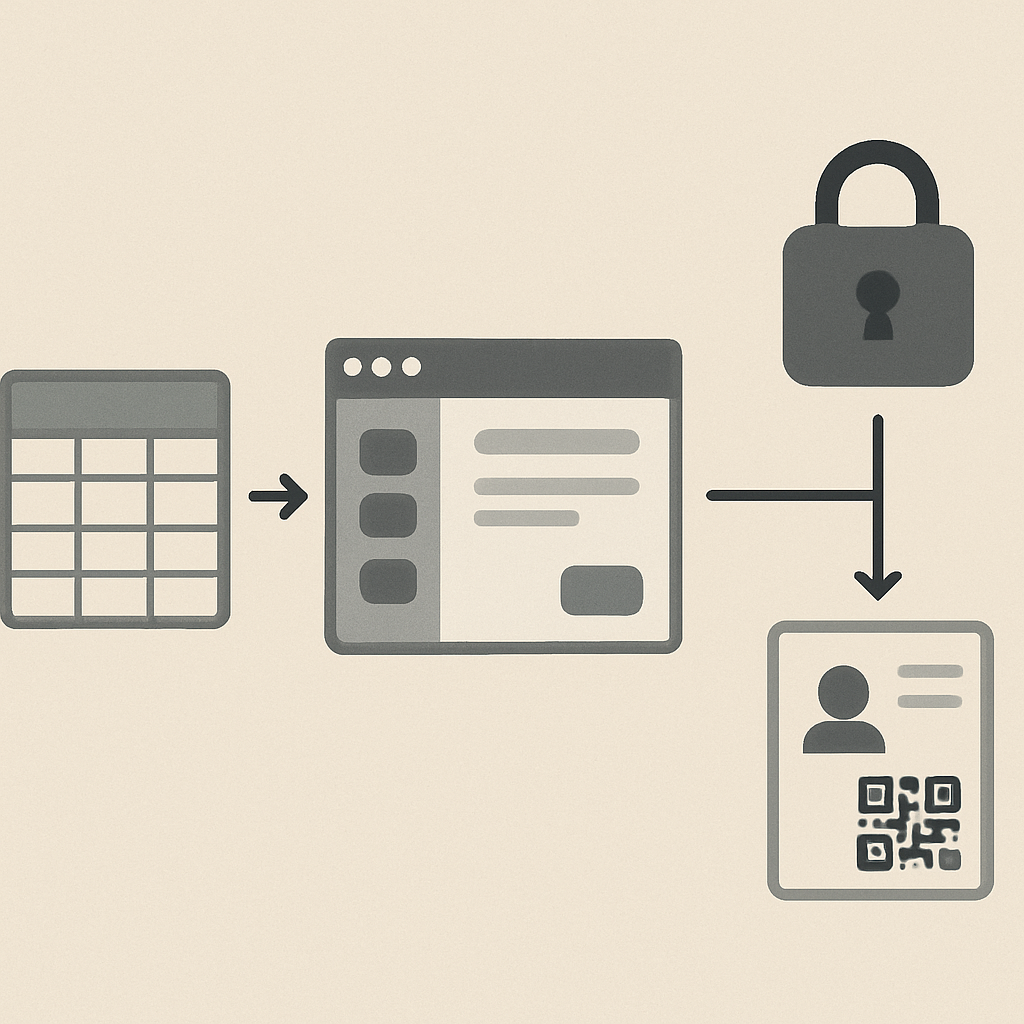
*From CSV import to a controlled, encrypted evidence record and a published public QR passport.*
- Prepare structured product data
- Import or enter product records
- Upload and protect private evidence
- Review readiness and complete missing fields
- Approve publication when required
- Publish the QR passport and keep it updated
In Product Passport Base, this happens mainly inside the private Builder workspace, while consumers and partners only see the published Public passports pages.
Step 1: Prepare structured product data
Before importing anything, decide which fields matter for your first passport scope. For a small manufacturer or textile brand, a useful starting set may include:
- Product name
- SKU or model
- Category
- Short description
- Main materials
- Material percentages when available
- Country of manufacturing
- Care instructions
- Repair instructions
- Recycling instructions
- Certificate names and numbers
- Public claims and supporting notes
- Public company contact details, if you want them displayed
You do not need to solve every future DPP requirement on day one. A better approach is to create a clean baseline, identify gaps, and improve the record over time.
For broader context on supplier and traceability access flows, see How to Build Public Product Data Transparency with Digital Product Passports.
Step 2: Import product passport data by CSV or TSV
CSV and TSV imports are useful when your product information already exists in spreadsheets, PIM exports, ERP reports, supplier templates, or ecommerce catalogs.
A good import file should be consistent and easy to review. For example:
| Field | Example | Notes |
|---|---|---|
| Product name | Organic Cotton T-Shirt | Public-facing name |
| SKU | TS-001-BLK-M | Useful for internal and retail mapping |
| Category | Apparel | Helps organize passports |
| Materials | Cotton 95%, Elastane 5% | Use consistent formatting |
| Manufacturing country | Portugal | Add facility details if appropriate |
| Care | Wash at 30°C | Public care instruction |
| Repair | Contact support for repair options | Can support post-sale service |
| Recycling | Remove label before textile recycling | Adapt to your real product process |
| Certificate | GOTS, certificate number | Only include accurate certificate information |
| Claim | Organic cotton | Claims should be supported by evidence |
Product Passport Base allows teams to import structured data by CSV/TSV or edit product information manually in the Builder. This helps companies move from spreadsheets to a living product record without needing to build a technical platform from scratch.
Step 3: Create a private product record in the Builder
After importing or entering data, each product becomes a private record in the Builder. This is where your team can organize product details, review missing information, and prepare the passport before publication.
A product can move through states such as:
- Draft: the product record exists but is not yet ready
- Evidence: supporting documents or files are being added
- Ready: the product has enough information for publication review
- Pending approval: publication is waiting for manual approval, depending on workspace policy
- Published: the public passport page and QR payload are active
This staged approach is important because a Digital Product Passport should not be treated as a one-time PDF. It should be a controlled product record that can be reviewed and updated.
Step 4: Upload private evidence files
Structured data tells people what the product record says. Evidence helps your team understand why the data is trusted.
Evidence may include:
- Certificates
- Manuals
- Labels
- Supplier documents
- Reports
- Images
- Spreadsheets
- Technical documents
- Product or material files
In Product Passport Base, evidence files are encrypted before being stored in cloud storage. Private evidence is not automatically shown on the public passport page. This separation matters because some files may contain supplier details, commercial information, internal notes, or documents that are useful for review but not intended for public display.
A practical rule is:
- Publish what is safe, useful, and intended for public visibility
- Keep sensitive supporting evidence private
- Use evidence internally to support review, governance, and future updates
Step 5: Separate public passport data from private evidence
One of the most important parts of a Digital Product Passport workflow is deciding what becomes public.
A public passport may show:
- Product name
- SKU or model
- Passport number
- Brand or company
- Last update date
- QR code
- Description
- Materials
- Manufacturing information
- Care instructions
- Repair instructions
- Recycling instructions
- Certificates
- Claims
- Public company contact information, when configured
- Preview image, if selected
Private evidence may remain visible only to authorized workspace users. This avoids the common mistake of treating every uploaded document as public content.
If no preview image is selected when the product is created, Product Passport Base can show a category or vertical-related silhouette instead of a custom product image.
Step 6: Review readiness before publication
Readiness review helps teams identify what is complete, what is missing, and what should be checked before the public passport goes live.
A readiness review may ask questions like:
- Is the SKU or model correct?
- Are the public materials accurate?
- Are certificates entered consistently?
- Are claims supported by evidence?
- Are care, repair, and recycling instructions useful?
- Is the public company contact information intentional?
- Is any sensitive information accidentally placed in a public field?
- Does the product need manual approval before QR publication?
Product Passport Base supports readiness workflows so teams can move products from draft or evidence stages toward ready and published states.
Step 7: Publish the QR passport
Once a product is ready, it can be published as a public passport page with a QR payload. Depending on the workspace policy, publication may happen directly or require manual approval first.
The public QR passport can be used on:
- Packaging
- Product labels
- Hangtags
- Product detail pages
- Retailer listings
- Sales materials
- Support pages
- Repair or recycling instructions
The value of the QR is that it connects the physical product to a digital record that can be updated over time. It can support transparency, customer trust, post-sale support, repair information, recycling guidance, and partner access.
To start building your own workflow, you can Create your first Digital Product Passport.
Step 8: Use the public passport as a structured digital record
A published DPP passport should not be only a marketing page. It should function as a structured digital record for a specific product.
That means the record should be:
- Specific: linked to a real SKU, model, or product line
- Structured: organized into fields that can be reviewed and reused
- Governed: controlled by roles, approvals, and audit-aware workflows
- Public where appropriate: visible through QR and public passport pages
- Private where necessary: evidence and sensitive files protected in the workspace
- Reusable: available for integrations, exports, or API access when needed
This is especially useful for companies that need to share consistent product information across ecommerce, retail, support, repair, recycling, and partner systems.
How Product Passport Base supports ecommerce, retail, and API workflows
Product data often needs to move beyond the passport page. Retailers, marketplaces, ecommerce teams, ERP systems, and customer support tools may all need access to consistent product information.
Product Passport Base includes connector-oriented workflows in the Builder for channels and systems such as:
- Shopify
- WooCommerce
- Amazon SP-API workflows
- Mercado Libre
- Zalando
- OTTO Market
- PIM/ERP workflows
- API/Webhooks
The platform can provide mappings and CSV exports with fields such as SKU, GTIN, public passport URL, QR payload, materials, certificates, claims, and update date.
Direct synchronization with external platforms depends on the merchant, seller account, partner program, credentials, and permissions required by each channel. Product Passport Base helps prepare and organize the passport data; external system access remains subject to the rules and capabilities of those platforms.
Example workflow for a small manufacturer
Here is a simple, realistic workflow for a small manufacturer preparing its first set of Digital Product Passports:
- Create a workspace in Product Passport Base
- Set company profile, country, vertical, and security policies
- Create or import the first product records
- Add SKU, category, description, materials, and manufacturing information
- Upload private evidence such as certificates or supplier documents
- Add care, repair, and recycling instructions
- Review readiness and identify missing fields
- Mark the product as ready
- Submit for approval if required by the workspace policy
- Publish the public passport and QR payload
- Add the QR to packaging, labels, or ecommerce pages
- Keep the record updated when product information changes
This workflow allows a company to start with a practical scope while building a stronger product data foundation over time.
Textile example: materials, care, repair, and recycling
Textile brands often need to communicate product composition, care instructions, repair options, and end-of-life guidance. A structured DPP workflow helps organize these details in a way that is easier to review and share.
For example, a textile passport may include:
- Fabric composition and percentages
- Country of manufacturing
- Relevant certificates
- Care instructions
- Repair guidance
- Recycling or take-back information, where available
- Public claims with supporting private evidence
If your team is focused on apparel or textile products, you may also find this related resource useful: The new era of the Textile Industry.
Governance: roles, approvals, and accountability
Digital Product Passports involve more than product data. They also involve responsibility.
Product Passport Base supports governance through workspace roles such as owner, admin, editor, and viewer. Owners and admins can manage sensitive settings, while publication policies can require manual approval before a product passport goes public.
This helps companies reduce accidental publication of incomplete or sensitive information. It also supports clearer internal accountability between product, compliance, sustainability, ecommerce, support, and operations teams.
Still, governance inside a software platform does not remove the company’s responsibility for the underlying data. Claims, certificates, evidence, and public statements should be reviewed by the appropriate internal or external experts.
What should you upload first?
If you are starting from zero, avoid trying to perfect everything immediately. Begin with the records that are most useful and easiest to verify.
A good first upload usually includes:
- Product name and SKU/model
- Category
- Description
- Materials
- Manufacturing country or facility
- Care instructions
- Repair or support instructions
- Recycling instructions
- Existing certificates
- Key claims already used in sales or packaging
- Evidence files that support those certificates or claims
This creates a practical foundation for transparency and future DPP preparation.
Common mistakes to avoid
Publishing evidence by accident
Do not assume every uploaded file should be public. Keep sensitive documents private unless they are intended for public visibility.
Treating a QR as the whole passport
A QR is an access point. The real value is the structured, maintained product record behind it.
Creating public claims without evidence
Claims should be supported by appropriate documentation and reviewed internally.
Leaving product records static
Product information can change. Update passports when materials, suppliers, certificates, care instructions, or claims change.
Assuming software guarantees legal compliance
Software can help organize and publish information, but compliance depends on your product, market, claims, evidence, and applicable rules. Seek qualified advice where needed.
FAQ: Digital Product Passport structured data and evidence workflow
What is a Digital Product Passport structured data evidence workflow?
It is a repeatable process for collecting product data, importing or editing structured fields, attaching private evidence, reviewing readiness, and publishing selected information through a public Digital Product Passport page and QR code.
What is the difference between public passport data and private evidence?
Public passport data is information intentionally shown on the public product page, such as materials, care instructions, certificates, claims, and recycling guidance. Private evidence includes supporting files such as certificates, supplier documents, reports, manuals, or internal records that are stored in the workspace and not automatically published.
Can I import Digital Product Passport data from a spreadsheet?
Yes. Product Passport Base supports CSV/TSV import so teams can move product information from spreadsheets or system exports into structured product records. Teams can also edit records manually in the Builder.
Are evidence files public?
No, not by default. Evidence files uploaded to Product Passport Base are encrypted before storage and are kept separate from the public passport page unless your team chooses to publish specific information in public fields.
What does “ready” mean for a product passport?
“Ready” means the product has enough structured information for publication review according to your workflow. Depending on workspace policy, a ready product may still require manual approval before it becomes public.
Does a verification status guarantee legal compliance?
No. Verification statuses such as pending, in_review, verified, or rejected can help communicate review state or trust signals, but they do not replace official certifications, legal compliance checks, regulatory advice, or audits.
Can the public passport be connected to ecommerce or ERP systems?
Product Passport Base supports API access, connector mappings, and CSV exports that can help teams use passport data across ecommerce, marketplace, PIM, ERP, retail, support, repair, and recycling workflows. External platform synchronization may require separate credentials, permissions, or partner access.
Who is responsible for the accuracy of the passport data?
The company using the platform is responsible for the accuracy, legality, permissions, claims, evidence, and updates of its product data.
Build your first governed DPP workflow
A strong Digital Product Passport workflow starts with structured data, protected evidence, internal review, and careful publication. Product Passport Base helps you move from scattered files and spreadsheets to governed product records with public QR passport pages.
If you are ready to create your first product record, Create your first Digital Product Passport and begin with one SKU, one evidence set, and one public QR page.